
GPT Image Generator — ChatGPT-style pictures, no ChatGPT account
Make and edit pictures with OpenAI's GPT Image 2.6, GPT Image 2.5 Sunburst and GPT Image 2. From 2 credits a picture.
Opens on the Starter plan · the price is on the button before you run. Compare models · Prices
One idea, two frames: made with GPT Image 2
Two real pictures from the Seedara community, both made with GPT Image 2: the same idea, a different frame and a few different words.
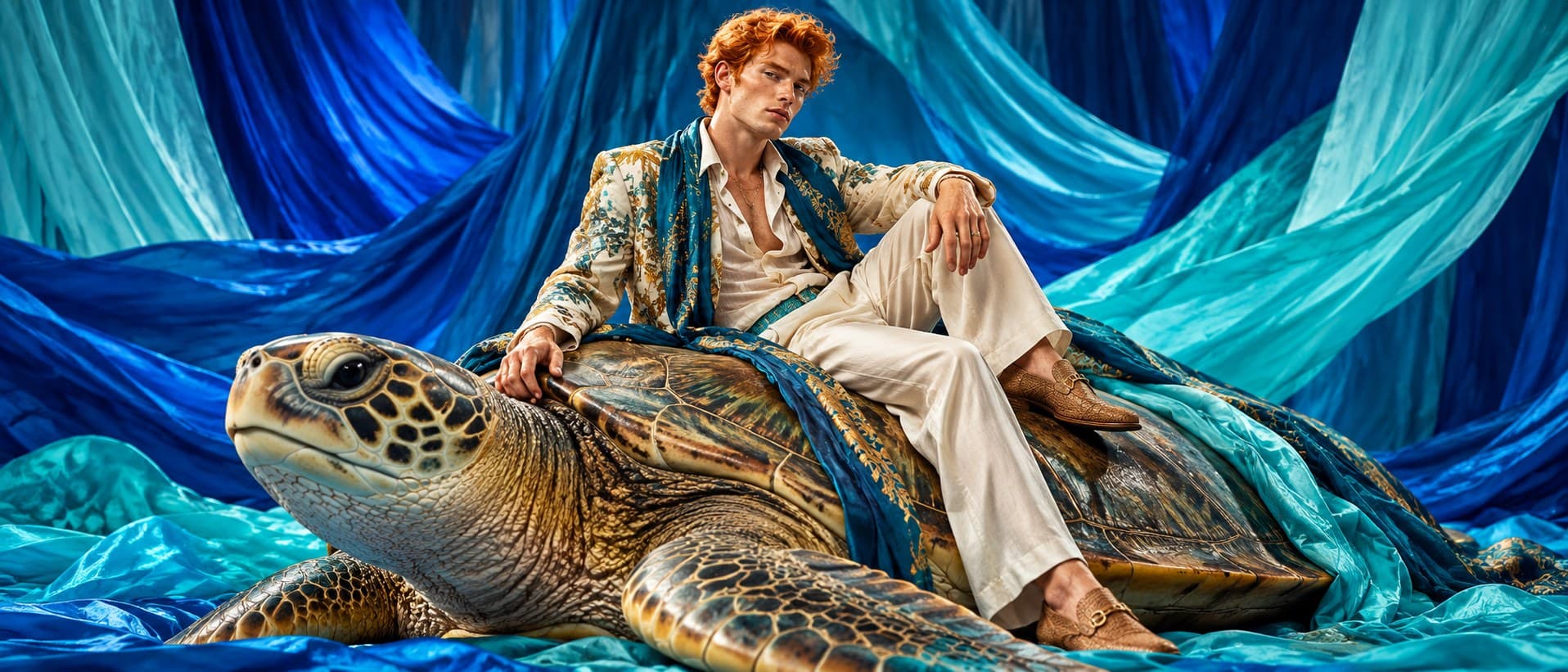
Surreal fashion portrait of a red-haired man in an embroidered silk suit seated on a giant sea turtle, waves of blue and turquoise drapery around them, painterly light, horizontal
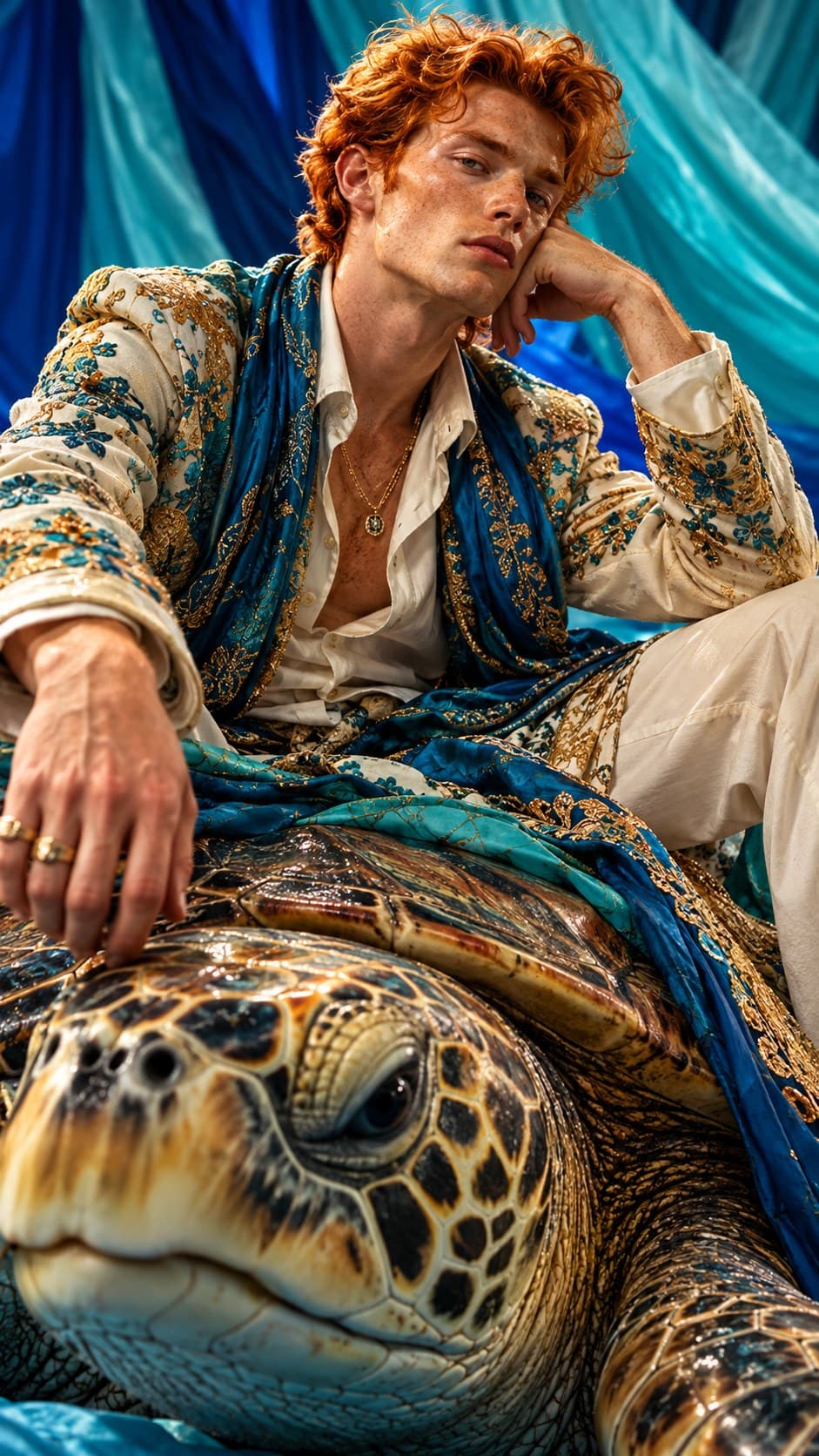
Surreal fashion portrait of a red-haired man in a patterned silk shirt lounging on a giant sea turtle, flowing turquoise drapery behind him, painterly light, vertical
Highlighted: the words that differ between the two prompts. GPT Image takes ten aspect ratios, from wide 21:9 to tall 9:16: pick one in the studio, or just name it in your prompt.
What is GPT Image?
GPT Image is the name of OpenAI's image models: you describe a picture in words, or give your own photos, and the model draws a new picture or edits yours. It is a line of versions, and OpenAI retires older ones every few months. Here is where each version stands today.
- GPT Image 1RetiredRetired October 23, 2026
- GPT Image 1.5Retires Dec 2026
- GPT Image 2Out Apr 2026On SeedaraRetires February 10, 2027Model page
- GPT Image 2.5 SunburstOut Sep 2026On SeedaraNo retirement dateModel page
- GPT Image 2.6Out Nov 2026On SeedaraNo retirement dateModel page
ChatGPT-style image generator without a ChatGPT account
Looking for a ChatGPT image generator, photo generator or image maker? Seedara is not ChatGPT: here you use OpenAI's GPT Image models directly, next to other image AIs on one balance.
Not needed
A ChatGPT accountA ChatGPT subscriptionAn app to install
Needed
- A Seedara account with a confirmed email
- Credits: you pay for each picture
- Nothing else: the price is on the button first
Is GPT Image free?
Not on the free plan. GPT Image 2.5 Sunburst and GPT Image 2 open on the Starter plan ($19 for 2,000 credits a month), and a picture costs from 2 credits. The free plan gives 100 credits a month for other image models: compare them in the AI image generator.
Can ChatGPT generate images?
Yes, ChatGPT can draw pictures in its chat. This page is another way in: you choose a GPT Image model yourself, set the quality and size, and pay per picture. Other image models sit next to it, so you can run the same prompt on Nano Banana and compare.
GPT Image 2.6 vs 2.5 Sunburst vs GPT Image 2
All three make and edit pictures. GPT Image 2.6 comes in two versions: Flare for quick drafts and Sunburst for detail and precision, as OpenAI describes them. 2.5 Sunburst adds quality levels, 2K and 4K and a mask; GPT Image 2 is the older model OpenAI plans to retire.
| GPT Image 2.6 | GPT Image 2.5 Sunburst | GPT Image 2 | |
|---|---|---|---|
| Released | November 4, 2026 | September 8, 2026 | April 21, 2026 |
| At OpenAI | No retirement date | No retirement date | Retires February 10, 2027 |
| Versions | Flare · Sunburst | — | — |
| Quality levels | — | Low · Medium · High · Extra high · MaxLow – Max | Low · Medium · HighLow – High |
| Size | 1K | 1K, 2K, 4K4K from Ultra | 1K, 2K, 4K4K from Ultra |
| Aspect ratios | 10, 21:9 to 9:16 | 10, 21:9 to 9:16 | 10, 21:9 to 9:16 |
| Your images in | Up to 16 | Up to 16 | Up to 16 |
| Mask edit | No | Yes | No |
| Transparent background | No | Yes | No |
| File type | — | PNG, JPEG, WebP | — |
| Plan | Starter and up | Starter and up | Starter and up |
| Price | from 2 credits≈ $0.02 | from 2 credits≈ $0.02 | from 3 credits≈ $0.03 |
Which GPT model is best for image generation?
For most pictures, start with GPT Image 2.6: one price per picture, Flare for quick tries and Sunburst for detail. When you need a higher quality level, 2K or 4K, a mask or a transparent background, take GPT Image 2.5 Sunburst. GPT Image 2 is a good second try on the same prompt while it is still here.
GPT Image price per picture
You pay per picture in credits. The price depends on the quality you pick and, for 2.5 Sunburst, on the size. Higher quality costs more.
- Flare2≈ $0.02
- Sunburst2≈ $0.02
- Low2≈ $0.02
- Medium4≈ $0.04
- High14≈ $0.13
- Extra high24≈ $0.23
- Max54≈ $0.51
- Low3≈ $0.03
- Medium10≈ $0.10
- High39≈ $0.37
- Flare2≈ $0.02
- Sunburst2≈ $0.02
- Low3≈ $0.03
- Medium7≈ $0.07
- High28≈ $0.27
- Extra high49≈ $0.47
- Max109≈ $1.04
- Low3≈ $0.03
- Medium10≈ $0.10
- High39≈ $0.37
- Flare2≈ $0.02
- Sunburst2≈ $0.02
- Low3≈ $0.03
- Medium7≈ $0.06
- High28≈ $0.24
- Extra high49≈ $0.42
- Max109≈ $0.94
- Low3≈ $0.03
- Medium10≈ $0.09
- High39≈ $0.34
The Starter plan ($19) gives 2,000 credits: up to 1,333 pictures from GPT Image 2.5 Sunburst at low quality and 1K.
credits per picture · ≈ $ is counted at the credit price of the plan the model opens on: Starter $19 for 2,000 credits, Ultra $129 for 15,000 credits.
Edit photos with GPT Image
Looking for a ChatGPT photo editor? GPT Image edits photos from a written instruction: add your photo, say what to change and what to keep, and get a new picture. Your original stays as it was.
- Your photo
- Up to 16 more images
- A mask on the part to change (Sunburst)
- An instruction in words
- A new picture
Instructions to try with your photo
- Change only the sky to a soft pink sunset. Keep everything else the same.
- Replace the background with a plain white studio wall. Keep the person exactly as they are.
- Dress the person from image 1 in the jacket from image 2.
- Make it look like a 1970s film photo with warm colours and light grain.
- Add the words “OPEN DAILY” in bold white letters on the shop sign.
Want a sharper, bigger photo or a logo? Upscalers and vector models are in the AI image generator.
GPT Image prompts you can fill in
Swap the highlighted words for your own and open the prompt in the studio. The templates follow OpenAI's own advice for GPT Image prompts.
- Put the exact words for the picture in quotes and say where they go.
- Say what to change and what must stay the same.
- Name the light, the materials and the framing.
- Funny
A grumpy cat dressed as a medieval king on a throne of cushions, oil painting, dramatic light
Use in studio - Your photo, new style
Turn this photo into a hand-made clay figure scene, soft studio light, keep the face easy to recognise
Use in studio - Text on a poster
A poster for a summer jazz night with the words “Live on Friday” at the top in bold retro letters
Use in studio - Product shot
A glass bottle of olive oil on a stone kitchen counter, morning light from the left, clean photo
Use in studio - Greeting card
A birthday card with a fox in a party hat, watercolour style, the words “Happy birthday, Sam”
Use in studio
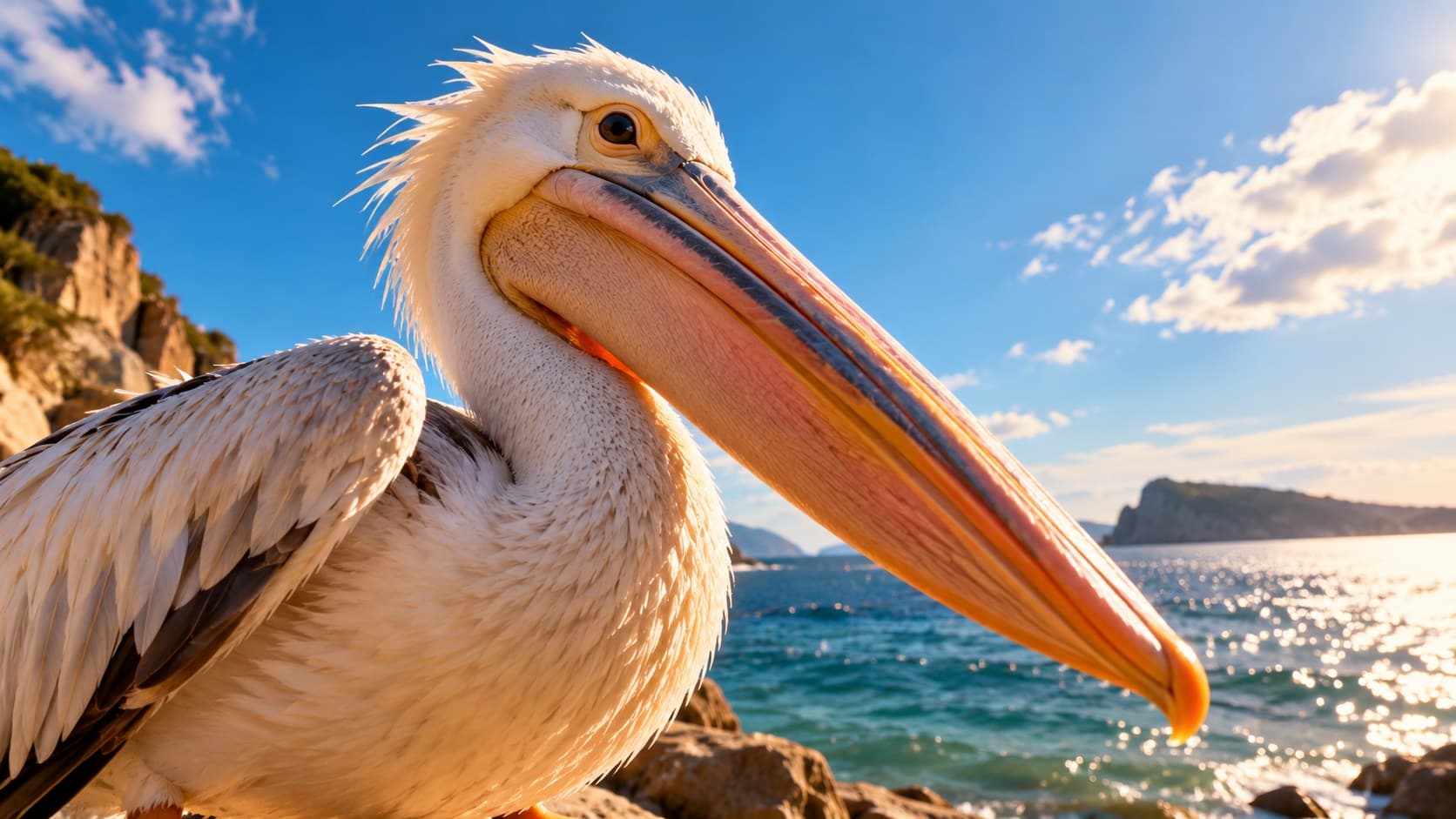
This picture was made with GPT Image 2 from the prompt below. Change the highlighted words and keep the rest.
Ultra-wide low-angle close-up of a pelican on sunlit coastal rocks, turquoise sea and cliffs behind, puffy clouds, vivid summer colours, horizontal
Use in studioHow to do the viral ChatGPT picture
Viral ChatGPT-style pictures are usually your own photo redrawn in a new style, like a toy figure or a cartoon. Add your photo, describe the style in one line and say “keep the face easy to recognise”. Use photos of yourself or of people who agreed.
Rights, watermark and rules
- Whose picture it is
- OpenAI's terms say the result belongs to the person who made it. Seedara plans allow commercial use.
- Visible watermark
- None. GPT Image opens on paid plans, and Seedara puts its mark only on free-plan pictures.
- Hidden labels
- OpenAI marks its pictures with C2PA content credentials and SynthID, so tools can tell they are AI-made.
- Content filter
- OpenAI checks every prompt and picture against its rules, so some requests are refused.
- Your photos
- Edit only photos you have the right to use. Ask before you change a photo of someone else.
GPT Image FAQ
How do you get ChatGPT to create an image for you?
In ChatGPT you ask for it in the chat. On Seedara you write what you want in the field at the top of this page, pick GPT Image 2.5 Sunburst or GPT Image 2, check the price on the button and press Create image. The picture is saved in your library.
How do I create my AI photo?
Press Add photo, upload your picture and describe the new look, for example “a watercolour portrait, keep my face easy to recognise”. OpenAI made GPT Image 2.5 Sunburst for edits where precision matters most. Use photos of yourself or of people who agreed.
Is GPT Image 2.5 out? Which version is the newest?
Yes. GPT Image 2.5 Sunburst came out on September 8, 2026, and you can use it on Seedara. OpenAI released GPT Image 2.6 on November 4, 2026, and it is on Seedara too.
How good is GPT Image at text in pictures?
OpenAI says text is much better than in earlier image models, but exact placement and very small letters can still go wrong. Put the words in quotes, keep them short and say where they should go.
How long does one picture take?
It depends on the prompt and the quality you pick. OpenAI says complex prompts can take up to 2 minutes. The finished picture is saved in your library.
What happens when OpenAI retires GPT Image 2?
OpenAI retires GPT Image 2 on February 10, 2027 and suggests GPT Image 2.6 instead. Pictures you made stay in your library. For new work, GPT Image 2.6 and GPT Image 2.5 Sunburst have no retirement date yet.
Is there a GPT Image API?
OpenAI sells its own API. On Seedara, API access comes with the Business and Company plans and works with the models on the site, GPT Image included.